
Are you also confused about choosing Google My Business and Meta Business Suite to enhance your online visibility and attract customers?
Search engine optimization (SEO) and local search visibility are crucial strategies for small businesses to improve their online presence and attract nearby customers.
Simultaneously, managing social media and customer interactions through unified platforms like Meta Business Suite can streamline marketing workflows and engagement across Facebook, Instagram, and Messenger.
Overview of Google Business Profile
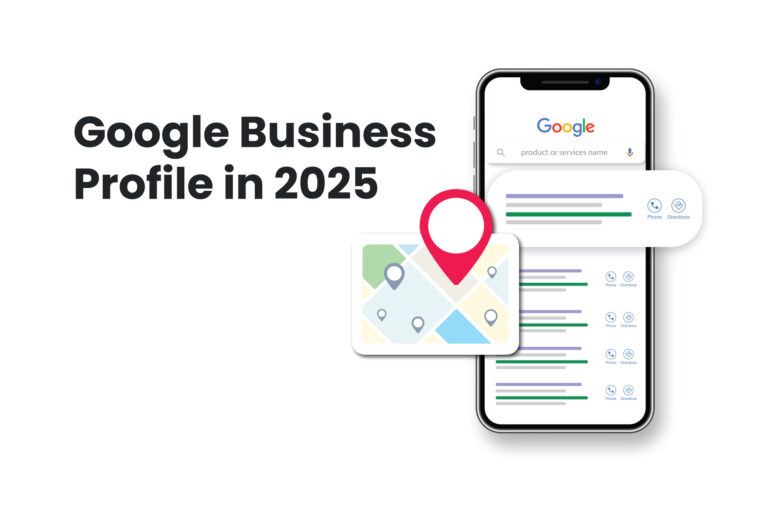
Google Business Profile (formerly Google My Business) allows businesses to manage how their profile appears on Google Search and Maps.
It enables businesses to update key information such as name, address, hours, photos, and respond to customer reviews directly through the Business Profile Manager.
GMB features include Business Profile Posts for announcements, product listings for retailers, and customer Q&A sections to engage searchers.
In 2024, Google introduced AI Overviews (formerly Search Generative Experience) that provide contextually relevant summaries directly in search results, enhancing local listings’ visibility.
Advanced verification protocols, including mandatory video verification for some businesses, have been implemented to enhance profile authenticity and user trust.
Visual Search Optimization via Google Lens and the introduction of story‑like review displays in Google Maps underscore the importance of rich multimedia assets.
Overview of Meta Business Suite
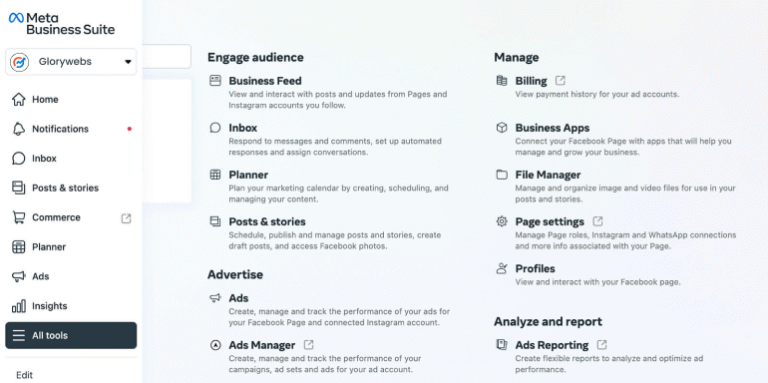
Meta Business Suite is a free, integrated tool by Meta to manage Facebook, Instagram, and Messenger business accounts in one centralized dashboard.
Users can create and schedule posts, manage messages via a unified inbox, and monitor both organic and paid content performance alongside ad metrics.
The platform’s analytics dashboard provides insights into reach, engagement, audience demographics, and cost-per-result metrics for ads.
Feature Comparison
Profile Management
- Google Business Profile: Allows instant editing of business details, name, address, hours, and photos through the Business Profile Manager interface, with changes reflected in Search and Maps in real time.
- Meta Business Suite: Enables updating Page and profile settings through its Settings panel, though deeper ad account configurations redirect users to Ads Manager for advanced controls.
Analytics & Insights
- GBP Insights: Reports metrics such as customer actions (calls, website visits, direction requests), search queries used to find the profile, and photo views, helping businesses understand how customers interact with their listing.
- Meta Insights: The Insights tab in Business Suite shows performance data for posts, Stories, and ads, broken down by platform, content type, and benchmarking against past performance or competitor averages.
Content & Engagement Tools
- Google Posts: Let businesses share offers, events, and updates directly on their profile, complete with interactive call-to-action buttons to drive traffic or conversions.
- Meta Scheduling & Automation: Offers robust post scheduling, interactive Stories creation, and automated messaging rules (e.g., keyword-triggered replies) to maintain timely audience engagement.
Advertising Integration
- GMB & Google Ads: Business Profile integrates with Google Ads via location extensions and Local Services Ads, requiring a verified profile to run certain ads, thus amplifying local reach.
- Meta Ads Link: Business Suite links seamlessly with Facebook and Instagram ad accounts, enabling campaign creation, management, and reporting within the same interface.
Multi‑Platform Management
- Google Ecosystem: Google Business Profile focuses on visibility in Search and Maps, without cross-posting to external social channels.
Meta Ecosystem: Meta Business Suite spans Facebook, Instagram, and Messenger but lacks native integration with non‑Meta channels (e.g., Twitter, LinkedIn), prompting some brands to supplement with third‑party tools for broader coverage.
Business Profile Optimization: Best Practices
Google Business Profile
- Complete and Accurate Information: Secure all fields, name, address, phone number, category, attributes, are filled and kept current. Consistency across web listings boosts relevance and trust.
- Engaging Multimedia Content: Upload high-resolution photos (min. 1080 × 1080 px) and videos (max. 30 sec, 100 MB) that authentically showcase your business environment and offerings.
- Strategic Posts & Offers: Publish weekly Google Posts with visuals and clear CTAs; fresh content signals activity to Google’s algorithm and keeps your profile prominent.
- Review Management: Respond promptly to all reviews—positive or negative—to demonstrate customer care; businesses replying within 24 hours tend to rank higher in local search.
- Category & Attribute Precision: Select the most specific category and update attributes (e.g., “Women-led,” “Wheelchair Accessible”) to align with user searches and values-focused queries.
Meta Business Suite
- Complete All Page Sections: Fill out every section of your Facebook Business Page Page name, bio, category, contact details, and a CTA button to enhance search discovery within Facebook.
- Mobile‑Optimized Visuals: Use clear profile and cover images sized for both desktop and mobile dimensions (Desktop: 851 × 315 px; Mobile: 640 × 360 px) to ensure brand clarity on all devices.
- Automated Moderation & Messaging: Set up moderation rules and Messenger automations to maintain responsiveness and protect brand reputation without constant manual oversight.
Content Scheduling & A/B Testing: Schedule posts and run video A/B tests within Business Suite to identify top-performing creatives and posting times.
Which to Focus On in 2025: Recommendations
- Local‑First, Service‑Based Businesses: If your priority is physical footfall or local service calls, Google Business Profile should be your primary focus its direct impact on Search and Maps visibility drives high‑intent local traffic.
- Brand Awareness & Community Engagement: For businesses aiming to build brand affinity, audience communities, and multi‑touch social campaigns, Meta Business Suite offers richer creative formats, advanced audience targeting, and social interactions.
Hybrid Strategies: Many businesses will benefit from a phased approach to optimize your Google Business Profile to capture immediate local demand, then leverage Meta Business Suite for ongoing audience nurturing and retargeting.
Conclusion
Both Google Business Profile and Meta Business Suite are indispensable in 2025, but they serve different stages of the customer journey.
By aligning your primary focus with your business objectives, local discovery versus social engagement, you can allocate resources for maximum impact.
Optimize your chosen platform continually, monitor performance metrics, and iterate on your strategy to stay ahead in an ever‑evolving digital landscape.